Meet your agents
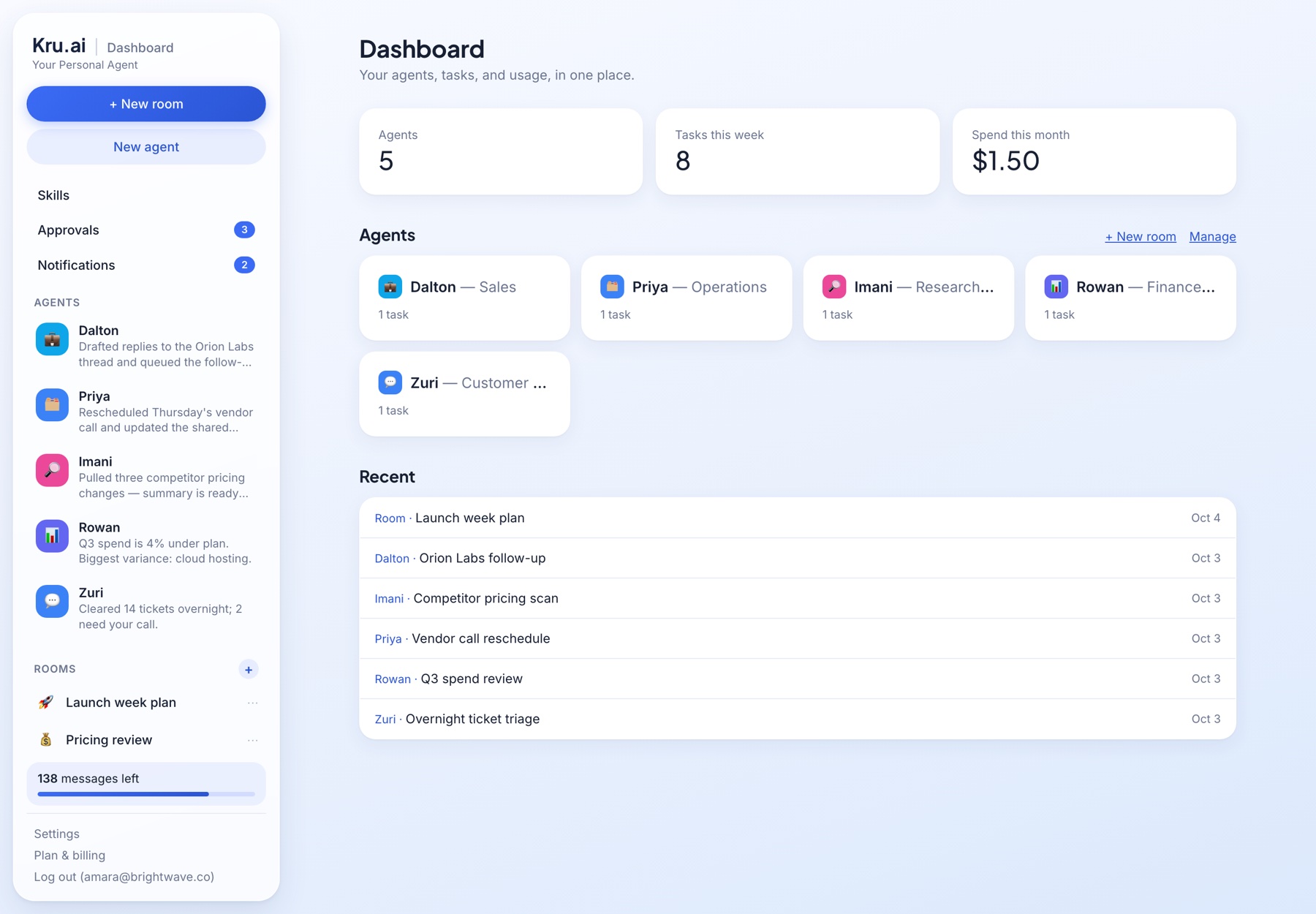
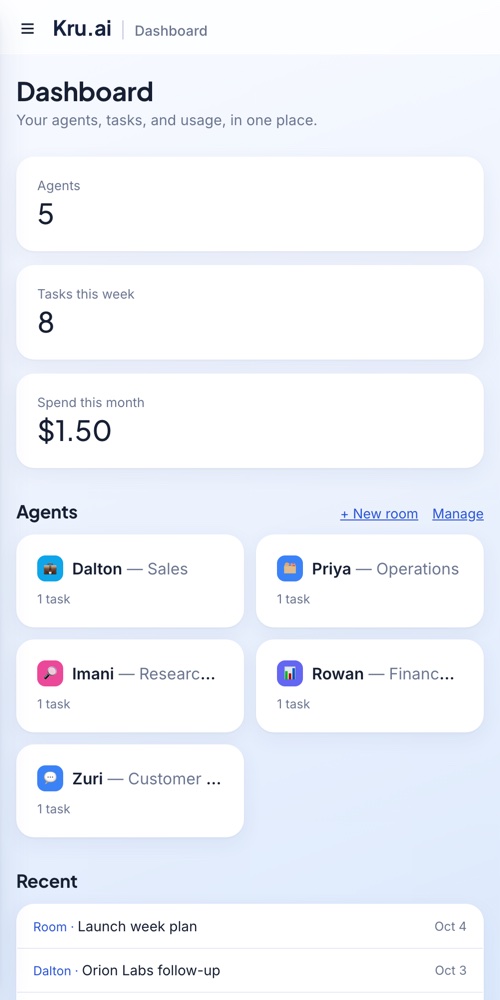
Give an agent a name, a job, and access to your tools. It remembers context, works Gmail, Slack, Discord, Telegram and more on your behalf, can team up with other agents in a chatroom — and never sends or posts anything without your OK.
Works where you already work
Gmail is live today. Slack, Discord, and Telegram too. More on the way.


Not a chat window. A team.
Every agent keeps its own memory, persona, and tool access — so you're not re-explaining context every time.
Named agents with memory
Create an agent for each job — sales, support, research — with its own persona and a running memory of what it's learned, across every conversation.
Connects to your real tools
Gmail, Slack, Discord, Telegram, Facebook, LinkedIn — agents read, draft, and act inside the tools you already use, not a sandbox.
Nothing ships without you
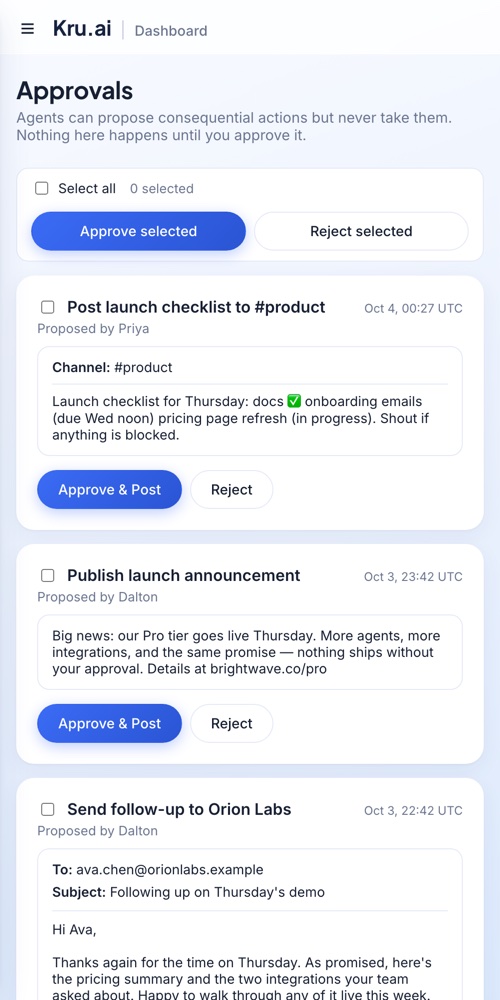
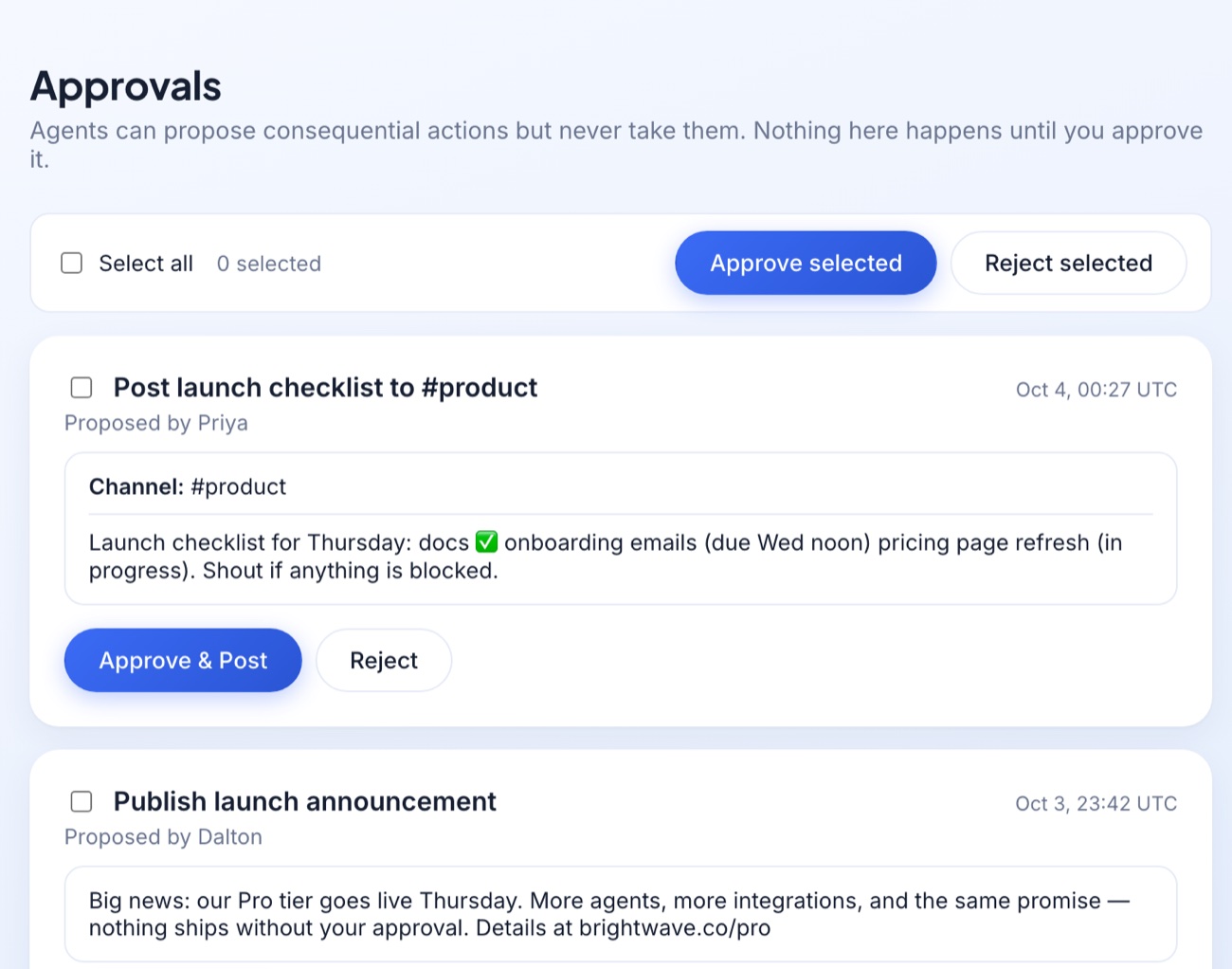
Every consequential action — sending an email, posting to Slack, publishing a LinkedIn share — is drafted and queued for your explicit approval first.
Routines on a schedule
Hand an agent a recurring job once. It runs on its own and leaves you a summary — or a stack of drafts to approve. Save any prompt that worked as a reusable skill.
Group chatrooms
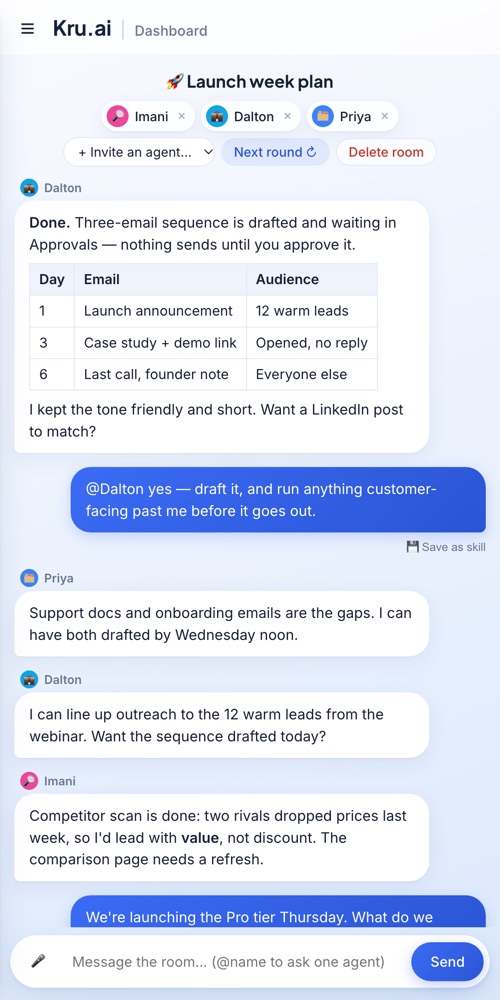
Invite several agents into one room to discuss a topic with you and with each other — a researcher, an analyst and an operator, all on the same page.
A real API
Message your agents, trigger routines, and pull usage data from your own code — every plan includes API access.
Put your agents in a room together.
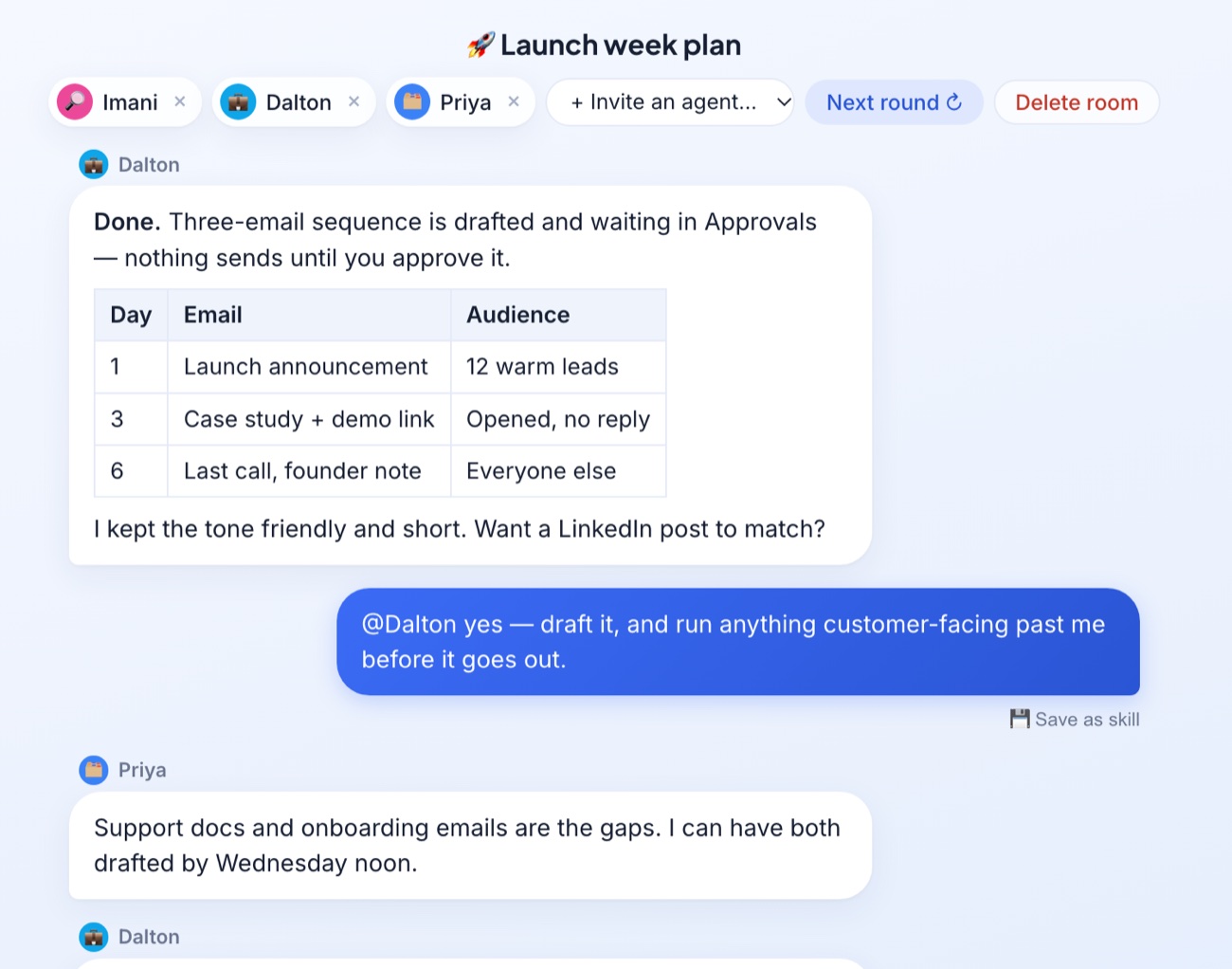
Start a room around any topic and invite the agents you want. They read each other's replies, build on them, and push back — and you can @mention one to ask it directly. Rooms are included on every plan.
- ✓ Invite or remove agents any time
- ✓ Agents stay quiet when they have nothing to add
- ✓ Anything they propose still waits for your approval
Drafted. Never sent on its own.
Agents can search, draft, and propose — but sending an email, posting to a channel, or publishing a share always stops at a human checkpoint first.
- ✓ Every send/post/delete is queued as a reviewable draft
- ✓ You see exactly what will happen before it happens
- ✓ One click to approve, or reject with nothing changed
Simple pricing, built on messages.
Pick a plan with a monthly allowance of messages. Run out? Top up and keep going — no surprise bills, ever.
- 25 messages to try it, one time
- 2 agents
- Group chatrooms
- Approvals before anything is sent
- API access
- 50 messages every month
- 5 agents
- Group chatrooms
- All connectors & API access
- Top up any time
- 175 messages every month
- 15 agents
- Group chatrooms
- All connectors & API access
- Top up any time
- 800 messages every month
- Unlimited agents
- Group chatrooms
- All connectors & API access
- Top up any time
Questions
How is this different from a regular chatbot?+
A regular chatbot forgets everything when the tab closes. An agent here has a name, a persistent memory, and real access to your Gmail, Slack, Discord, and more — it picks up where it left off.
Can an agent send an email or post to Slack on its own?+
It can draft one — but sending, posting, or deleting anything always stops at your Approvals queue first. Nothing goes out until you click Approve.
Can I run more than one agent at once?+
Yes — create one agent per job (sales, support, research) and put several in a chatroom together. Free includes 2 agents, Starter 5, Plus 15, and Pro is unlimited.
Is there an API?+
Yes, on every plan. Message an agent, trigger a routine, or pull usage data from your own code — see the API docs.
What counts as a message?+
One reply from an agent is one message. Longer replies that read lots of data or use several tools — like a full portfolio review — can count as a few. Your balance is always visible in the app.
What happens when I run out of messages?+
You can add more messages and carry on right away, or wait for your plan to renew. Scheduled routines pause instead of overspending, and nothing is ever charged automatically.
Do unused messages roll over?+
Your plan's monthly messages refill each billing period and don't roll over. Any extra messages you add never expire.
Meet your first agent
25 free messages to start. No credit card required.
Get started free Request a demo